 Now available · Latest release
Minecraft,
polished.
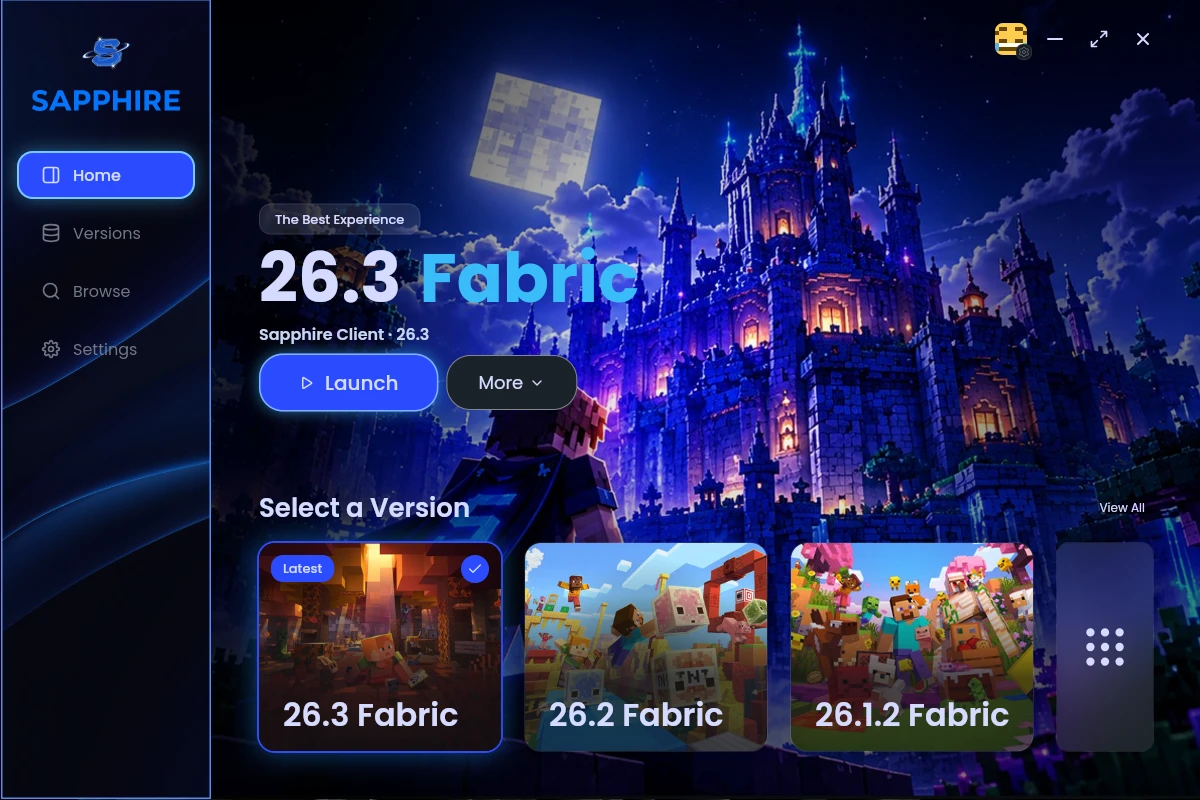
Sapphire Client is a premium Minecraft launcher, built for speed and privacy. Pick a version, get a tuned performance setup in one click, and add mods from Modrinth and CurseForge.
Windows · macOS · Linux — all downloads
Everything you need, nothing you don't
Crafted for players who expect Minecraft to run flawlessly.
One-click performance
Every Sapphire version comes with a tuned bundle: Sodium, Lithium, FerriteCore, ImmediatelyFast, EntityCulling and Dynamic FPS.
Ready-made versions
From 1.21.1 to 26.3 on Fabric. Pick one and play — Java is downloaded and set up for you.
Modrinth & CurseForge
Browse and install mods, resource packs, shaders, data packs and modpacks from both sites in one place.
Private by design
No accounts of ours, no analytics, no ads, no tracking. Your data stays on your computer.
Signed auto-updates
New versions install themselves, and every update is signed so only real Sapphire releases get in.
Native speed
A true native app, not a web page in disguise. It opens in an instant and stays light on memory while you play.
Take a look around
Get Sapphire Client
Available for Windows, macOS and Linux. Requires Minecraft: Java Edition.
Every download is signed and checked for updates automatically.
Installing & FAQ
Windows says "Windows protected your PC"
The installer isn't code-signed yet, so Windows SmartScreen warns about it the first time. Click More info, then Run anyway. Updates after that install on their own.
macOS won't open the app
Open the .dmg and drag Sapphire Client into Applications. The first time, right-click the app and choose Open. If macOS says the app "is damaged", run this in Terminal once:
xattr -cr "/Applications/Sapphire Client.app"
How do I run the Linux AppImage?
Make it runnable, then start it: chmod +x SapphireClient_*.AppImage and ./SapphireClient_*.AppImage. Prefer a package? Use the .deb, .rpm or Flatpak instead.
Do I need to own Minecraft?
Yes. Sign in with the Microsoft account that owns Minecraft: Java Edition. Sapphire Client downloads and launches the game, but doesn't include or sell it.
What data do you collect?
Nothing. We don't collect anything: no accounts, analytics or tracking. The launcher only talks to the services it needs, like Microsoft for sign-in and Modrinth for mods. See the Privacy Policy for the full list.
Can I bring my instances from another launcher?
Yes. Choose New instance → Import to bring instances over from launchers like Prism or the Modrinth App, or open a file someone exported from Sapphire Client.